Multi-Session Command Center · by 9punk.dev

Run every Claude Code session
from one command center.

Spin up as many agents as you want. 9CLI sorts them into live lanes and tells you the one thing you actually need to know: which session is blocked, waiting on you.

Built for the developer running three, five, ten Claude Code agents at once — and losing track of which one stopped.

See the board
  • Local-first — runs on your machine
  • No permanent install
  • Board opens in your browser
  • Runs entirely on localhost

    Nothing 9CLI does touches the internet — verify it in devtools.

  • No telemetry

    No tracking, no analytics, no phone-home, no version pings.

  • No account to start

    npx 9cli just runs — no signup wall for the free tier.

  • Your code stays yours

    9CLI reads your repos locally and never uploads them.

The problem

Five agents running. Zero idea which one stopped.

One Claude Code session is easy. Five is a browser full of terminals, an alt-tab loop, and the same nagging question: is anything actually still running?

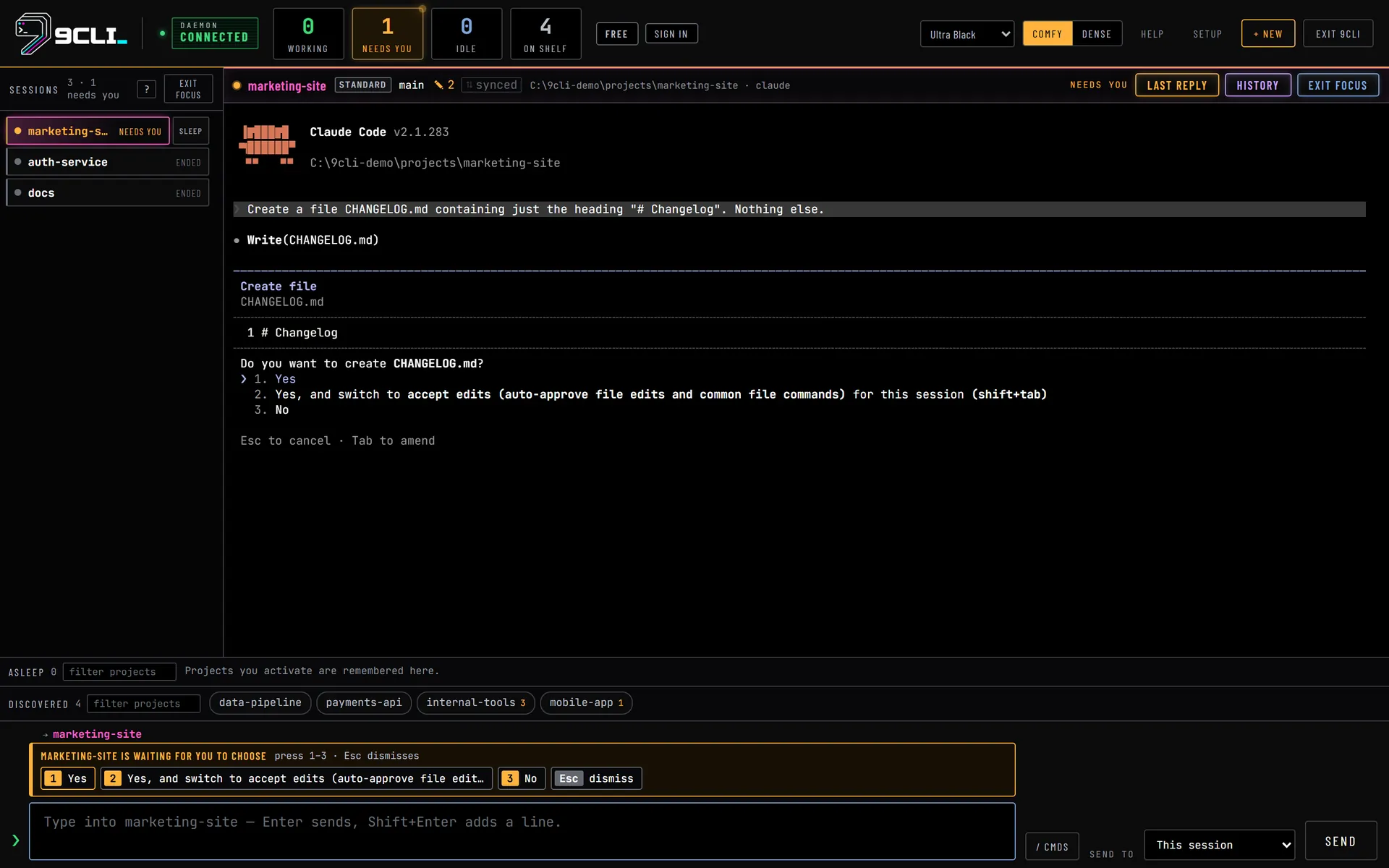
The expensive failure isn't a crash — it's a session that hit a permission prompt eleven minutes ago and has been sitting there, waiting, while you watched a different one.

Without 9CLI

  • 7 terminal tabs, no labels
  • Scroll each one to see if it moved
  • Blocked prompts sit unanswered
  • Crashes discovered ten minutes late
  • Permissions decided per-keystroke

With 9CLI

  • One board, every session
  • Lanes sort themselves by state
  • Needs you surfaces the blocked one
  • Failures show a red rail instantly
  • Permission profile per session

The whole product is one promise: surface the session that needs you.

Features

Built for running many, staying in control

Everything here exists today. No roadmap fluff.

Board

Live lanes that sort themselves

Sessions move between Working, Needs you, Idle and Finished on their own as their state changes. A crash gets a red rail and a Failed badge, so a dead session never looks like a quiet one.

Working Needs you Idle Finished

Focus Mode

One session, full screen — the rest still visible

Expand a session to fill the board. Everything else collapses into a compact live status rail on the left. Move with j / k, hit n to jump straight to whatever needs you.

jkmovennext blocker

Permissions

Four profiles, changeable live

Give each session exactly the leash it deserves — and change it mid-run without restarting.

Read-only Standard Trusted Full

Control

Per-session Stop

Interrupt any session straight from its card — it sends the same Ctrl+C interrupt to that session, so you never have to go find its terminal first.

Setup

Dependency doctor

On first run 9CLI checks Node, Claude Code and git, then tells you exactly what's missing and how to fix it — instead of failing halfway through a session.

node v26.4.0

claude code v2.1.220

git v2.52.0

First run

1st Time Setup Wizard

A themed first-run flow that gets you from zero to a working board without reading a manual.

Backup Pro

Close sessions safely

Backup runs your pre-close steps before a session shuts down, so ending work doesn't mean losing it. It lands with Pro.

pre-close steps run

session closed clean

Zero friction

No install. Ever.

One command, a local Node daemon, your browser. Nothing lands permanently on your machine, and nothing about your projects leaves it.

The product

See the whole board at work

Run every project at once and manage all of them from one place — switch sessions in a click, and let the board tell you which one is waiting on you.

Every session on one board

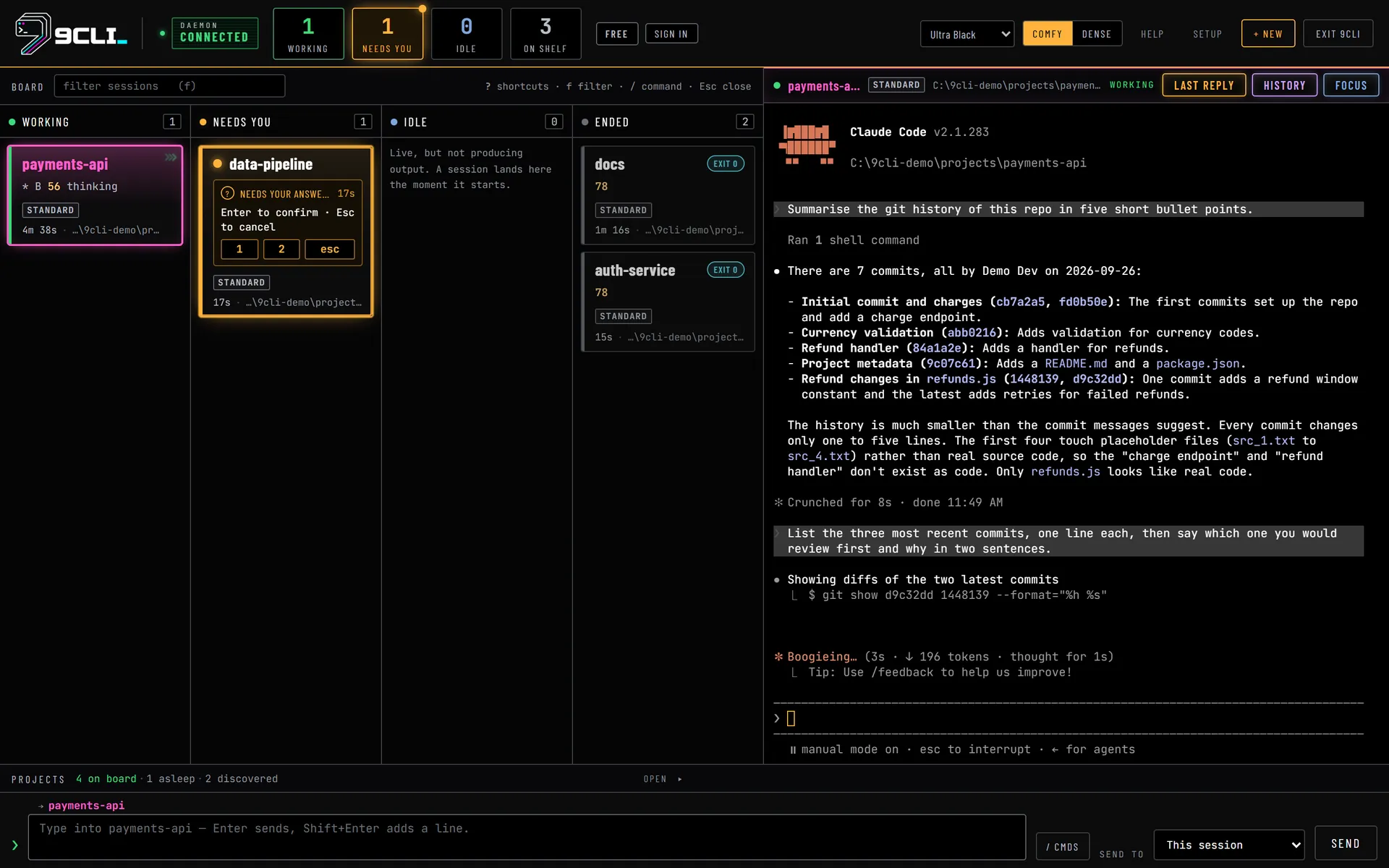
Eight sessions, sorted by what they need from you: three Working, one blocked in Needs you, two Idle and ready to launch, two Finished. Click any card to jump into that session — no window-hunting, no lost terminals. Press n to go straight to whichever session has been waiting on you longest. Copy last response lifts Claude Code's most recent reply to your clipboard, so you can paste it somewhere else for a second opinion without scrolling back through the pane.

127.0.0.1:8902 — 9CLI board
The 9CLI board in the Ultra Black theme: eight live sessions sorted into four lanes — three Working, one Needs you, two Idle, two Finished — with the blocked auth-service card framed in amber and its answer keys 1, 2, 3 and esc drawn on the card, a full terminal pane for the selected payments-api session, and the discovered project shelf along the bottom.

Go deep on one without losing the rest

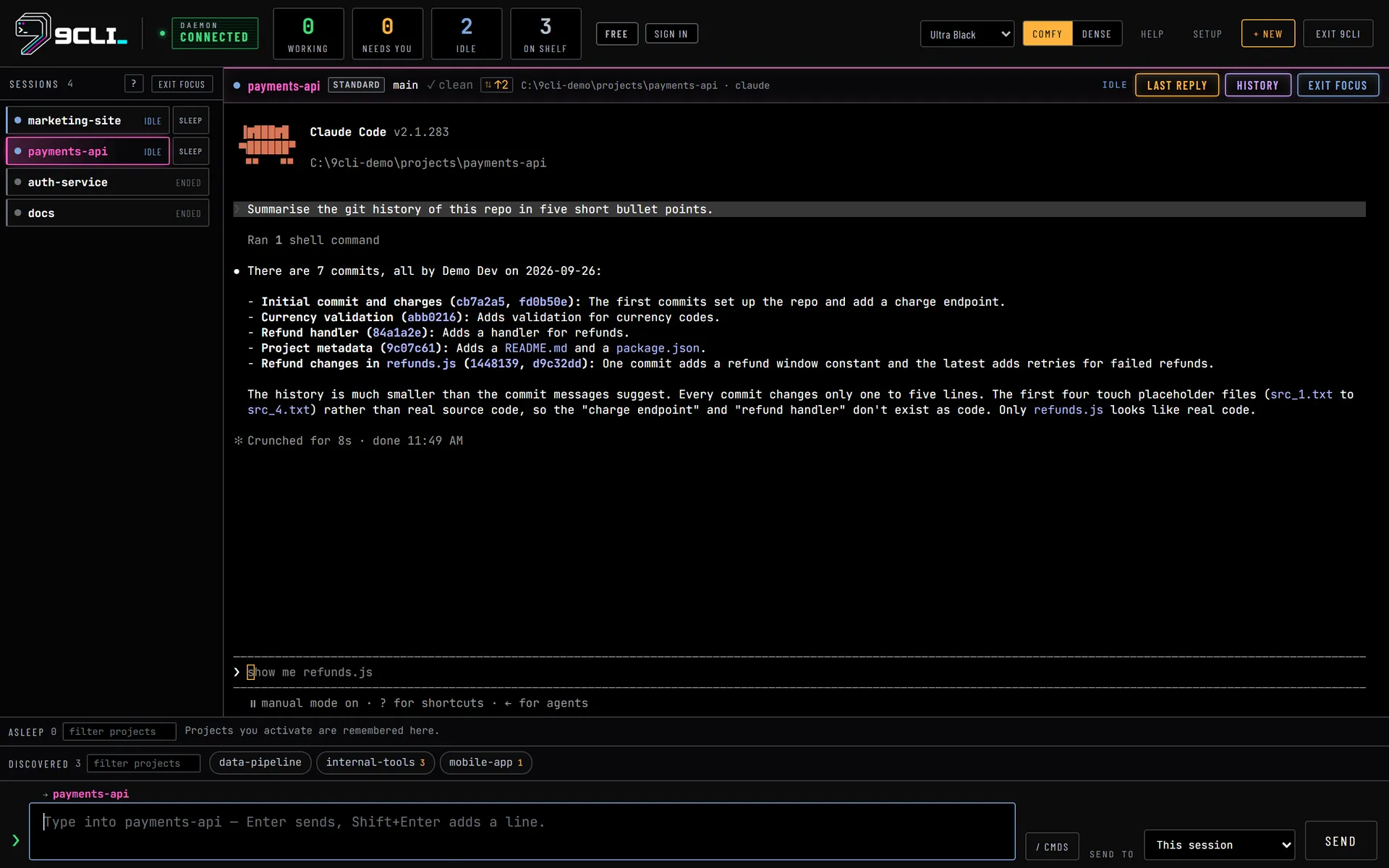
Focus Mode expands a single session to the full terminal so you can actually read it. The other seven stay in the left rail, colour-coded by lane with Needs you sorted to the top — click one to switch, or one button to drop back to the board.

Focus Mode — payments-api
Focus Mode in 9CLI: the payments-api session fills the stage with its live terminal output while the other seven sessions keep colour-coded rows in the left rail, auth-service sorted to the top as Needs you. The pane header carries the Standard permission profile, the main branch and the uncommitted count.

Read a session's state in a glance

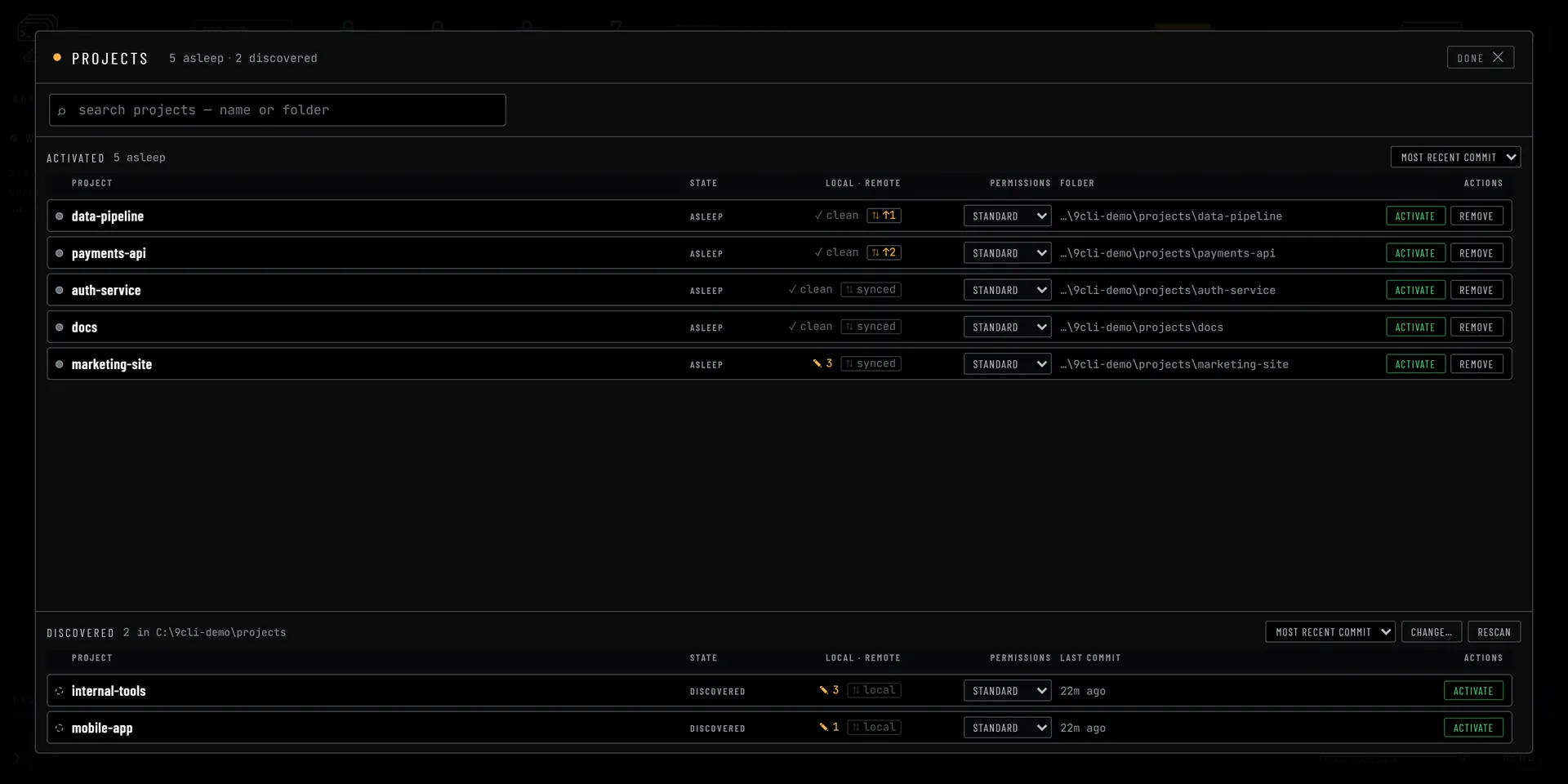
A card tells you what a session is doing without opening it — every badge state, syntax-highlighted status lines, permission badges, and the answer keys drawn right on a blocked card so you know what it's asking before you click in.

Board — session cards
A close crop of the four 9CLI lanes showing every card state at once: WORKING in green, NEEDS YOU in amber with its 1, 2, 3 and esc answer keys drawn on the card, IDLE in blue, EXIT 0 in cyan, FAILED in red, and the selected payments-api card outlined in magenta — each carrying a syntax-highlighted status line, a permission badge and a .claude marker.

The whole tool, explained in sixty seconds

Press ? anywhere on the board for every keyboard shortcut and what each lane means. Nothing to look up, nothing to memorise up front.

Help — how 9CLI works
The 9CLI help overlay, titled How 9CLI works: every keyboard shortcut, what each of the four lanes means, how to start, sleep and safely close a session, and how to set your projects folder.

How it works

Three steps. Then you're running.

  1. 01

    Run the command

    No install, no signup. The daemon starts locally and opens the board in your browser.

  2. 02

    Point it at your projects

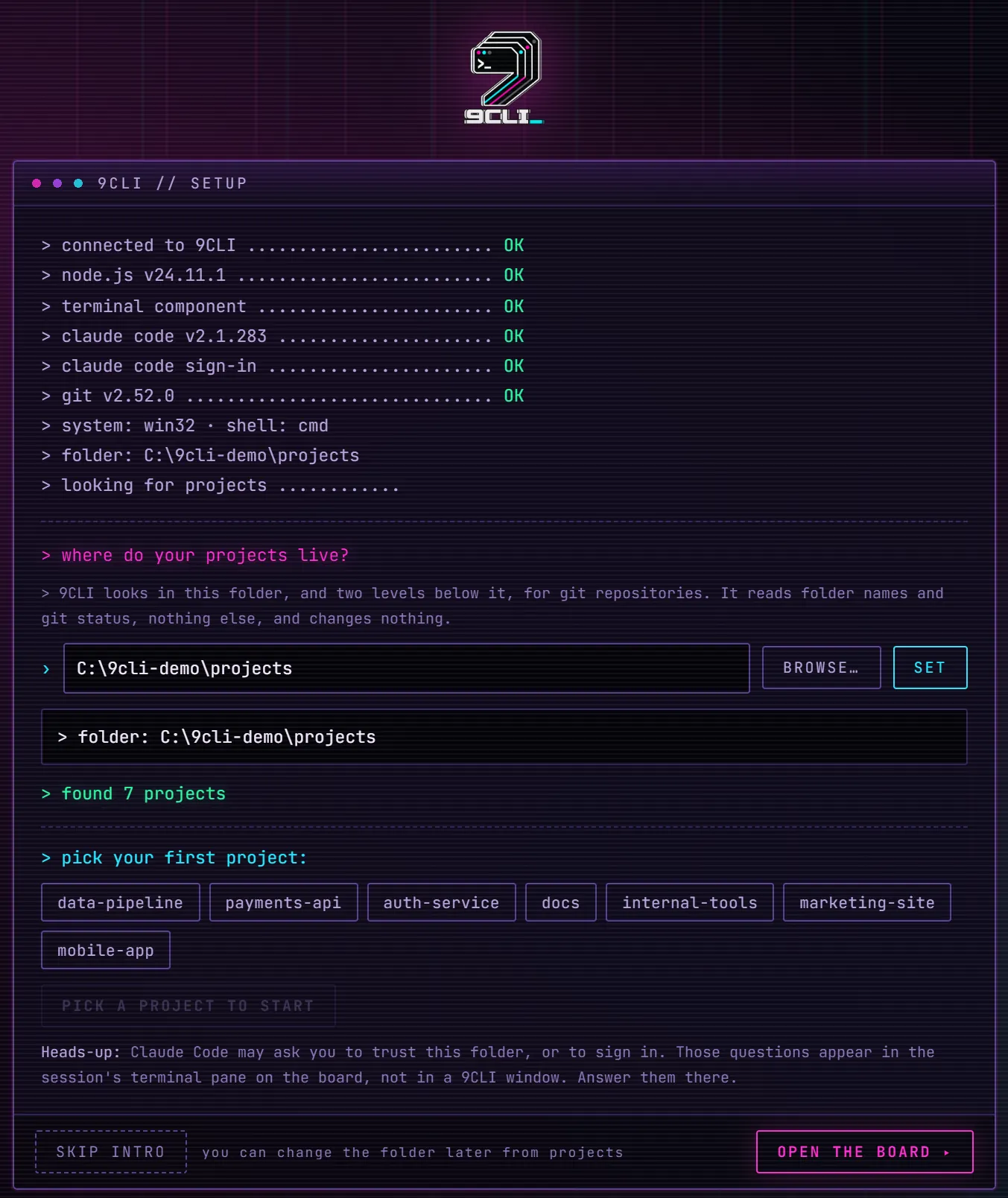
    The first-run wizard checks your dependencies and asks for the folder your repos live in. It reads the filesystem locally — your code never leaves the machine.

    C:\Projects\your-repos
  3. 03

    Start sessions and stop watching

    Launch as many as you need, pick a permission profile for each, and let the lanes do the tracking. When something needs you, it shows up in Needs you.

    Working Needs you

What you see the moment you run it

The first thing npx 9cli prints — the dependency doctor's verdict with your live tool versions, then the local daemon URL to open. No spinner-and-pray: you know instantly that your toolchain is good and where your board is. Everything after this runs on localhost.

npx 9cli — daemon startup
  doctor:  Node.js v26.4.0   Claude Code v2.1.220   git v2.52.0

  account: dev · local profile · local plan · 3 features available


  Multi CLI Manager daemon
  → http://127.0.0.1:8902

  definitions: C:\9cli-demo\home\.multicli\definitions.json
  profiles:    C:\9cli-demo\home\.multicli\profiles
  scan root:   C:\9cli-demo\Projects

  permission profiles: 8 definitions migrated — 0 → Full, 8 → Standard
  Open that URL in your browser. Ctrl-C here to stop.

  wrote 2 profile settings files

It checks your toolchain before it does anything

On a fresh machine, 9CLI probes Node, Claude Code and git first and shows each result in green — or flags exactly what's missing in red, with how to fix it. You never get halfway into a session only to hit a command not found. The check happens up front, once.

First run — cold boot
9CLI's cold-boot screen, step 1 of 2: the dependency doctor probing the local daemon, Node.js v26.4.0, Claude Code v2.1.220 and git v2.52.0, each with a green OK, above a short primer on the board, activating a project and the lanes.

One question, then you're running

The only thing 9CLI needs to know is where your code lives. Paste the folder path — it handles the quotes and trailing-slash mess for you — and the board is ready. It reads that folder locally; your code never leaves the machine.

First run — setup wizard
Step 2 of 2 of the 9CLI first-run wizard: designate project directory, with a path box, a Set button and a four-step walkthrough — open File Explorer, find the folder that holds your projects, right-click and Copy as path, then paste and press Set.

Built to live in

A board you'll stare at all day — tuned so it doesn't wear you out.

Pricing

Free forever for two. Pro when you need more.

The whole board and every core feature are free. Pro lifts the two-session cap and folds in Backup — that's the difference.

Free

Available now

$0

Free forever. No trial timer, no card, no bait-and-switch.

2 concurrent sessions
run two agents at the same time

  • The full board — Working / Needs you / Idle / Finished
  • Focus Mode with j k n keyboard nav
  • All four permission profiles, changeable live
  • Per-session Stop
  • All four themes, Ultra Black and Cyberpunk 1981 included
  • Dependency doctor + cyberpunk first-run wizard
  • Zero install — npx 9cli

Pro

Coming soon

$8/ month

Planned pricing — nothing is charged today.

concurrent sessions
run as many agents as your machine can take

  • Everything in Free, plus:
  • Unlimited concurrent sessions — the cap lifts
  • Backup — safe session close with pre-close steps
  • Premium features as they ship

One email when Pro is ready. Nothing else, ever.

Billing isn't built yet. There's no checkout on this site and nothing here takes payment. The waitlist exists so we know whether Pro is worth building before we build it.

Stop babysitting terminals.

One command. Every session on one board. The blocked one finds you.

Requires Node and Claude Code on your machine — the dependency doctor checks both on first run.